

Skip to content
View in the app

A better way to browse. Learn more.

ipsProArcade

A full-screen app on your home screen with push notifications, badges and more.

To install this app on iOS and iPadOS
  1. Tap the Share icon in Safari
  2. Scroll the menu and tap Add to Home Screen.
  3. Tap Add in the top-right corner.
To install this app on Android
  1. Tap the 3-dot menu (⋮) in the top-right corner of the browser.
  2. Tap Add to Home screen or Install app.
  3. Confirm by tapping Install.

Windwalker

VIP+
  • Joined

  • Last visited

About Me

Born and raised in the South during the best of times (’60s-’70s) and learned life through trial and error. I am married to the most wonderful woman in the world, Michelle.

I spent most of my life in police work of one form or another. From the humblest Animal Control to Park Ranger, Investigator, Patrolman, Teacher/Instructor in many law-enforcement areas. Then I obtained my childhood dream of being a Motorcycle Officer/Instructor. I authored the Motor Officer’s Poem found in many corners of the Internet, magazines, books, and memorials. 
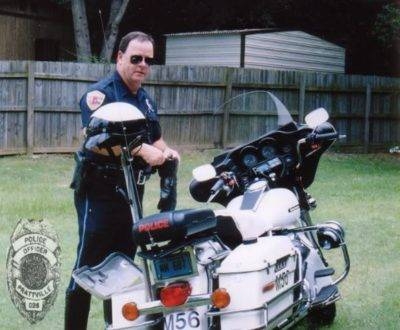
 

policedays.jpg.7c795ce899413186d640b2f52b1c0e3a.jpg

Loading crossword puzzle. One moment please.

Account

Navigation

Search

Search

Configure browser push notifications

Chrome (Android)
  1. Tap the lock icon next to the address bar.
  2. Tap Permissions → Notifications.
  3. Adjust your preference.
Chrome (Desktop)
  1. Click the padlock icon in the address bar.
  2. Select Site settings.
  3. Find Notifications and adjust your preference.